
Transfer call node
Transfer call node is used to transfer the call to human agent.
You define phone number to which the call will be transferred and an optional transfer message that will be played prior to transferring the call.
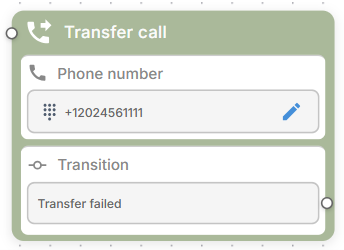
Transfer routing rule
For the transfer to actually work, you must configure a routing rule to specify the phone number / SIP connection via which the call will be sent:
- In the Navigation pane, select Routing and then click Routing Rules.
- Click Add new routing rule.
- From the 'Type' drop-down list, select Transfer.
- From the 'Call origin' drop-down list, select the bot connected to your Flow.
- From the 'Call destination' drop-down list, select phone number or SIP connection via which the call will be sent.
- Click Create.
Transitions
Conversation is finished upon successful call transfer execution.
Failure during call transfer triggers “transfer failed” transition. Connect this transition to some other node if you want to gracefully handle call transfer failure. Alternatively leave it unattached – and the conversation will be finished.
Transfer call node settings
- Transfer message – Message to be played before transferring the call.
- Timeout – Timeout to wait for call transfer to complete (in seconds)
- SIP headers – SIP headers to be included in SIP REFER message. You may use variables in SIP header values.
- Global node – Enables transition to this node from any other node in the conversation flow.